
Legal Templates
Fill Out an Independent Contractor Agreement Online
Complete an independent contractor agreement online — scope, payment, deadlines, IP ownership, and termination terms — then e-sign and download.
Start for $1. After 7 days, your subscription renews at $39.99/month unless cancelled. Cancel anytime.
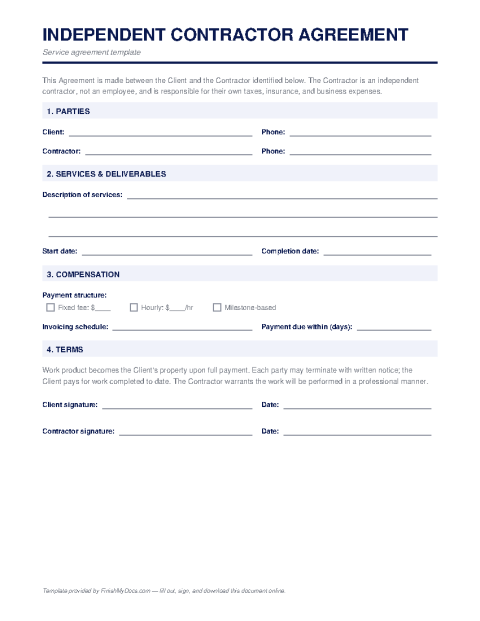
This template is provided for general informational purposes and is not legal advice. Contractor-classification and contract laws vary by state and situation — have a qualified attorney review the final agreement before relying on it.
The contract behind every good freelance relationship
An independent contractor agreement sets the terms between a business and a self-employed worker: what will be delivered, by when, for how much, and who owns the result. It does double duty — preventing scope and payment disputes, and documenting that the worker is genuinely an independent contractor rather than an employee, a distinction tax authorities and labor regulators take seriously and that misclassification penalties make expensive to get wrong.
Clauses worth reading twice
The scope of work should be specific enough that "done" is unambiguous. Payment terms cover the rate or fixed fee, invoicing schedule, and what happens on late payment. The intellectual property clause decides whether the client owns the work product outright or receives a license — a frequent point of contention if left vague. Add confidentiality, the contractor's responsibility for their own taxes and insurance, independent-contractor status language, and termination terms (notice period and payment for work completed), and you've covered the disputes that actually happen.
Completing it online
Fill in the parties, scope, fees, dates, and IP terms in the FinishMyDocs editor, then have both sides e-sign and download identical PDFs. Pair the signed agreement with a completed W-9 from the contractor so year-end 1099 reporting takes care of itself. For high-value or long-running engagements, an hour of attorney review on the final draft is cheap insurance.
How to fill out this document online
-
1
Identify the parties
Enter the client's and contractor's legal names, business entities if applicable, and contact details.
-
2
Define scope and deliverables
Describe the work specifically — deliverables, milestones, and deadlines — so completion is unambiguous.
-
3
Set payment and IP terms
Fill in the rate or fixed fee, invoicing schedule, late-payment terms, and who owns the resulting work product.
-
4
Sign and exchange copies
Both parties e-sign in the browser and download identical PDFs. Collect the contractor's W-9 at the same time for 1099 season.
Edit, sign, download, print, or email
Open Independent Contractor Agreement in the FinishMyDocs editor to type into every field, add today's date, place checkmarks, highlight key sections, and sign by drawing, typing, or uploading your signature. Need someone else's signature? Send them a secure signing link and get notified the moment they're done.
When you're finished, download the completed PDF, export pages as PNG or JPEG images, print a flattened copy, or email it straight to any recipient — your work is saved to your private account the whole time.
Frequently asked questions
Related forms & templates
Form 1099-MISC
Prepare Form 1099-MISC online for rents, royalties, prizes, and other miscellaneous payments. Ideal
Invoice Template
Create a professional invoice online in minutes — add your business details, line items, and payment
Non-Disclosure Agreement (NDA) Template
Fill out a non-disclosure agreement online — define the confidential information, term, and obligati
W-9 Form
Fill out the IRS W-9 Request for Taxpayer Identification Number and Certification online, then sign